

General
- Sales Package
- 1 TV Unit, Pedestal, Power Cable, Remote, 2 AAA Battery, Wall Mount
- Model Name
- TH-49CX400DX
- Display Size
- 123 cm (49)
- Screen Type
- LED
- HD Technology & Resolution
- Ultra HD (4K), 3840 x 2160
- 3D
- No
- Smart TV
- No
- HDMI
- 3
- USB
- 2
- Launch Year
- 2015
Connectivity Features
- HDMI
- 2 (Side), 1 (Rear)
- USB
- USB Location: 1 (Side), 1 (Rear), USB 2.0
- PC D-sub
- 1
Video Features
- View Angle
- 178(H) degree
- Panel Type
- IPS Panel
- LED Display Type
- Edge LED
- Refresh Rate
- 100 Hz
Audio Features
- Number of Speakers
- 2
- Sound Technology
- Dolby
- Speaker Output RMS
- 16
- Other Audio Features
- Sound Bar
Power Features
- Power Requirement
- AC 100 - 240 V
- Power Consumption
- 124 W, 0.2 W (Stand By)
Remote Control Features
- Battery Type
- 2 AAA Batteries
Additional Features
- Super Bright Panel
- Adaptive Backlight Dimming
- Dot Noise Reduction
Dimensions
- Width x Height x Depth (without stand)
- 1094 mm x 672 mm x 55 mm
- Weight (without stand)
- 13.8 kg
- Width x Height x Depth (with stand)
- 1224 mm x 702 mm x 186 mm
- Weight (with stand)
- 14.5 kg
Warranty
- Warranty Summary
- 1 Yr Manufacturer Warranty+1 Yr Extended Warranty
- Covered in Warranty
- Defect arising out of Faulty or defective material or workmanship. Parts & Labour cost is covered
Installation & Demo
- Installation & Demo Details
- We'll facilitate the installation and demo through authorized service engineer at your convenience. The installation will be done within 2 to 5 Business days of delivery of the TV. The service engineer will install your new TV, either on wall mount or on table top. Installation and demo are provided free of cost. The engineer will also help you understand your new TV's features. The process generally covers: Wall-mounted or table-top installation, as requested (Wall mounted mode is recommended for better sound experience), Physical check of all ports, including power and USB ports. Accessories also checked, Demonstration of features and settings, Quick run-through on how to operate the TV
Image Gallery
Click on any image for bigger Resolution

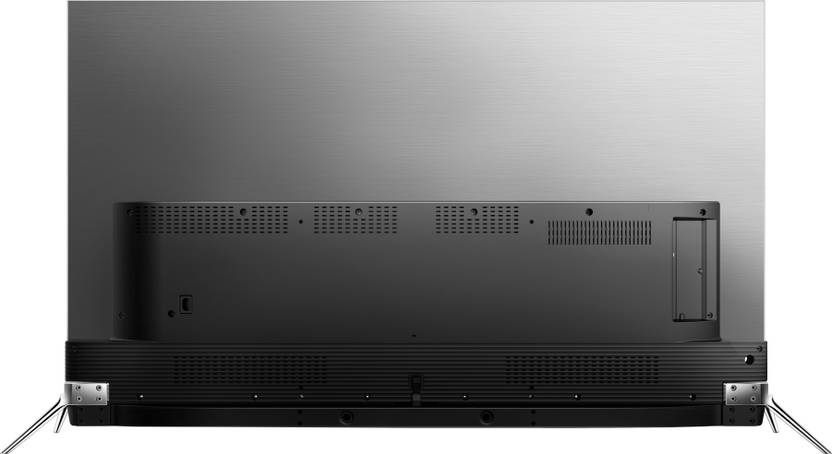
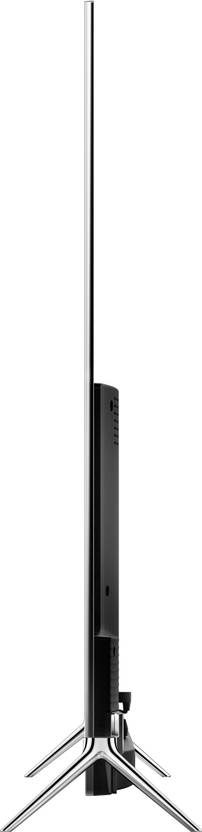


 123cm (49) Ultra HD (4K) LED TV)